
 Share
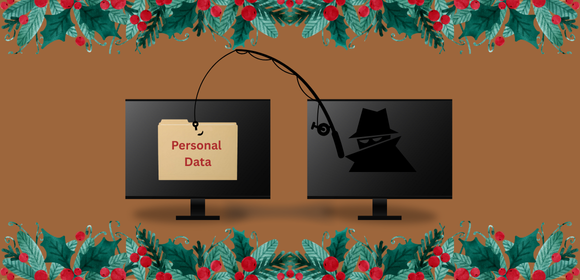
ShareIt is the holiday season again, and the number of sales this year isn’t the only thing on the rise. Phishing attempts also increase over the holidays. This rise in phishing attempts is due to the increased online shopping and the selling of personal data by data brokers after a transaction or visit to a site. Sometimes this data is sold to a malicious entity, and other times it is stolen. This data is used to build a profile of a person, which companies use to target individuals with special advertisements. Malicious actors will do the same, but their intention is to steal more information or money from you. With the increase in phishing attempts, it is important to stay vigilant and alert for possible attempts coming from calls, texts, emails, social media, or a simple QR code you see on a poster.
A common phishing attempt to watch out for during the holidays is the “Too-Good-To-Be-True” scam. This scam often comes in the form of an email or an advertisement you see online. A bad actor may advertise fantastic deals from common stores such as Target, Starbucks, or Best Buy. However, the link in the advertisement directs users to a fake website designed to steal their login credentials or credit card information. The goal is to give their target a sense of urgency about missing out on a great deal in the hopes they do not recognize the signs of what they received being a phishing attempt.
Another phishing scam you may come across is the “Unable to Deliver Package” scam. This scam usually is received as a text or an email from Amazon or UPS saying your package cannot be delivered and a link to click in the message. With the amount of online ordering during this time of year, this scam tries to provoke fear in the target that something they order will not arrive. This scam is like the “Too-Good-To-Be-True” scam in the way the link in this message will bring the target to a fake website asking them to log in or offering a way to release the package with the help of a card payment.
When it comes to phishing scams like these, there are a few things to watch out for to help you spot them. First, check for any spelling mistakes. Misspellings of a company name or multiple words in a sentence can be a sign of a phishing attempt. Second, do not click on the link in the email or message. In an email, try hovering over the link to see if the URL goes to where it says it goes to. If the email says it’s from Amazon, but when you hover over the sign-in button, the URL doesn’t point to Amazon, then it’s a phishing attempt. If you cannot check the link by hovering over it, the best practice is to not click the link. Instead, try browsing out to the company’s official website or using their official phone application before you log in.
If you want more information on the signs of phishing attempts, please refer to the KnowBe4 cybersecurity training. If you completed the training, you could still go back and review the information from previous lessons. Remember to stay vigilant during this time of year so that you help to keep yourself and your company safe.